A private receipt and mileage tracker for iPhone. Pay once.
Scan a receipt and get merchant · date · total · tax · category, read on your phone. Log business drives beside it. Export a CSV your books import, or a PDF report, whenever your accountant asks.
Snapstub turns a pile of paper and screenshots into a tidy ledger you actually own. Point your camera, confirm the few fields it wasn't sure about, and it's filed. Every receipt stays on your iPhone — no account, no upload, no monthly fee. When tax time comes, export the lot to a spreadsheet or a printable report in two taps.

Free to scan and browse — a one-time unlock only when you export.
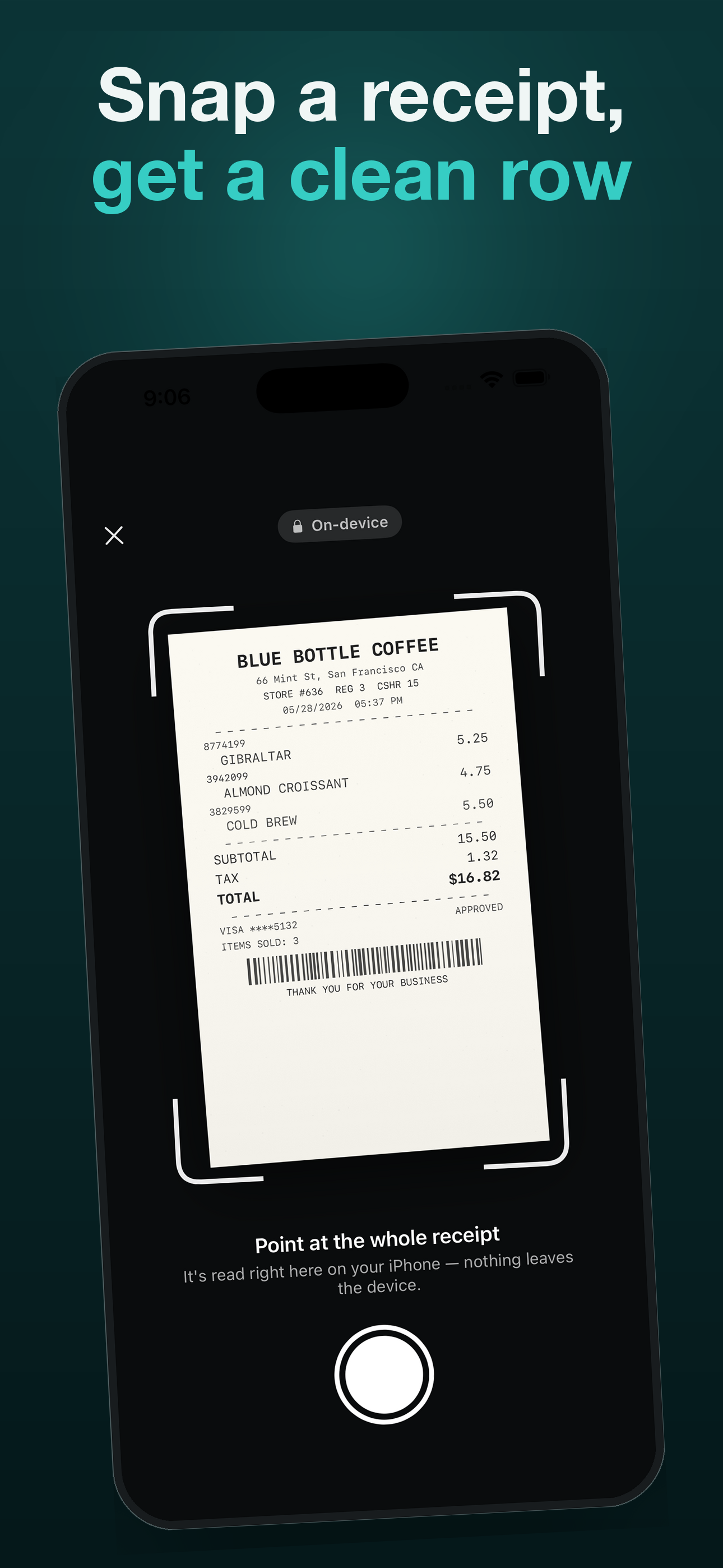
Scan in seconds — edges found for you
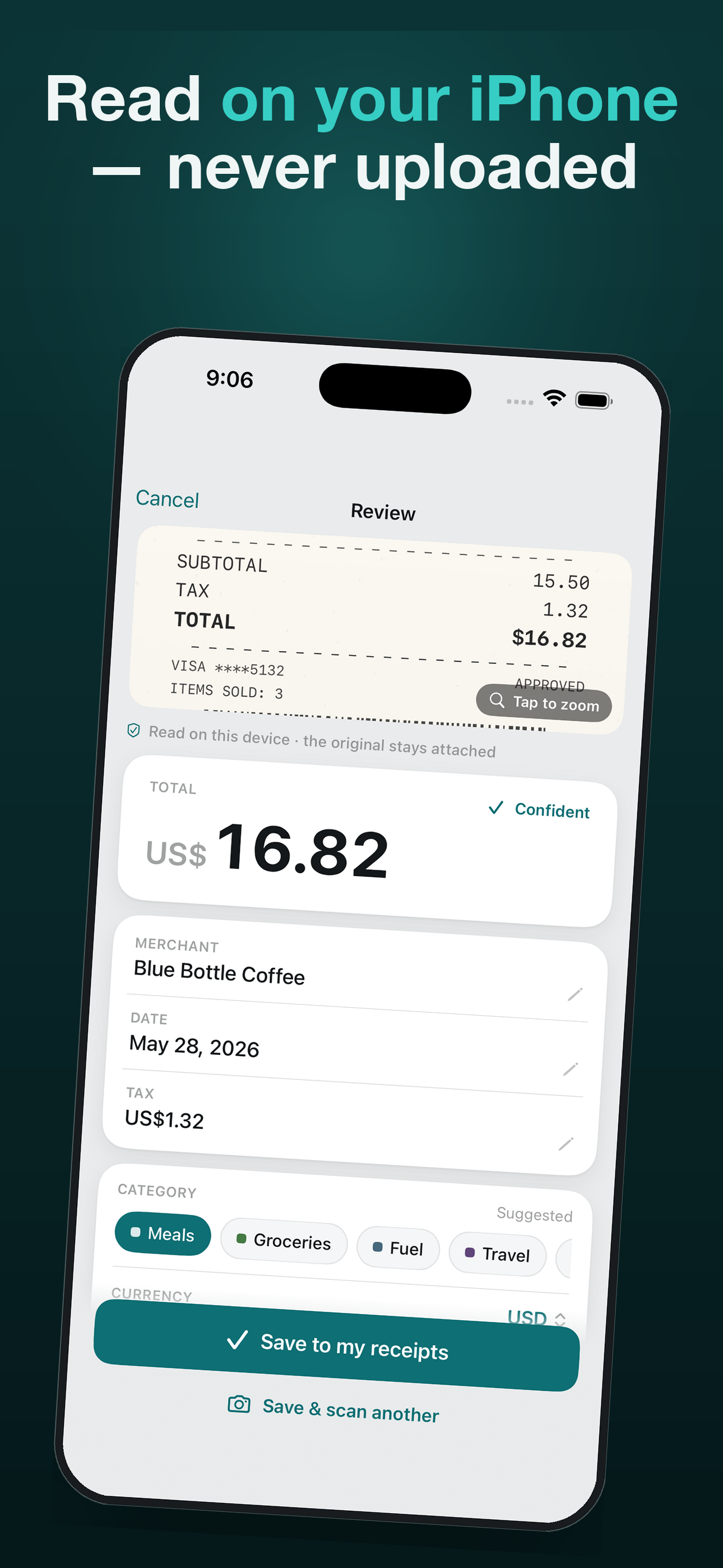
The camera outlines the receipt live, snaps when steady, and straightens the shot. Scan a whole stack in one session; Apple's Vision OCR pulls merchant, date, total and tax into clean rows — all on-device.
Flags what it wasn’t sure about — and keeps the photo
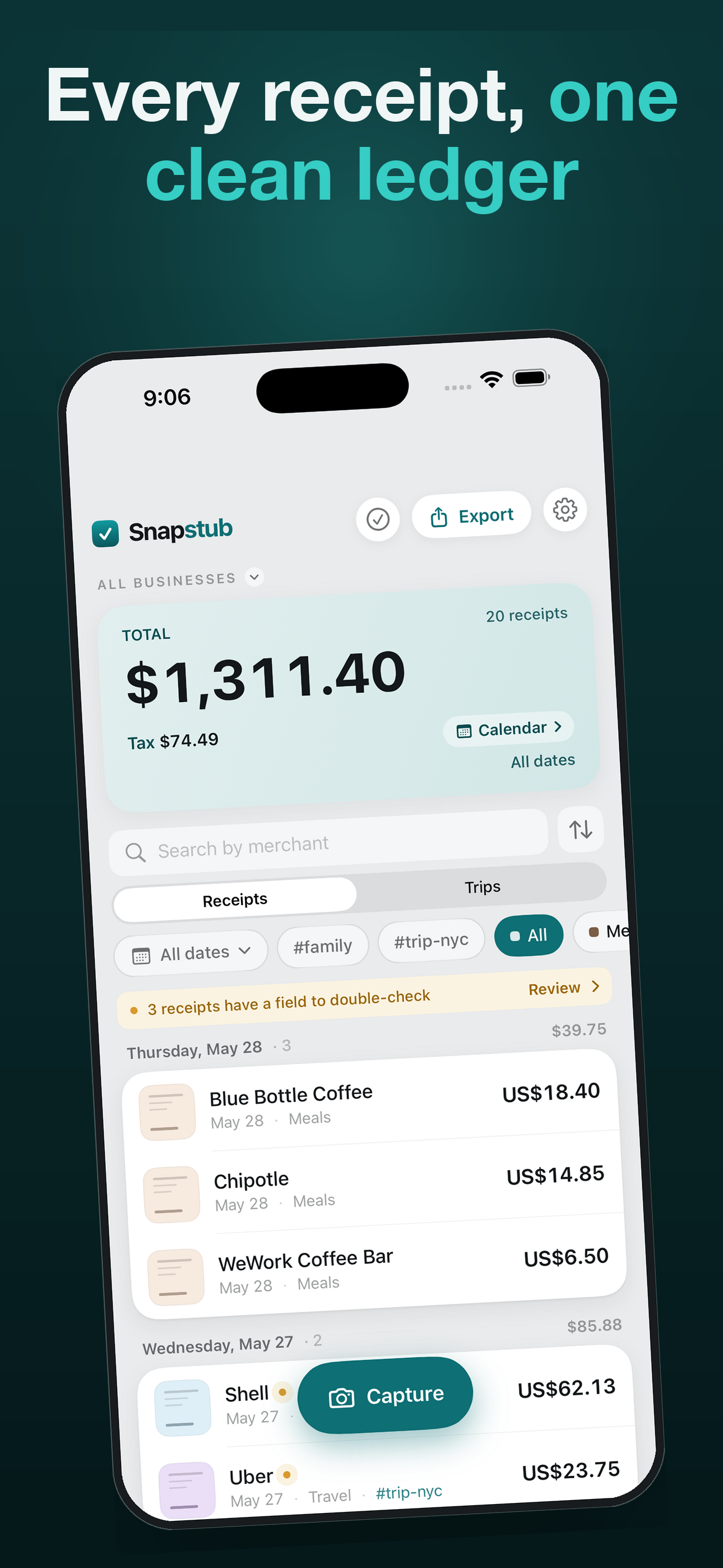
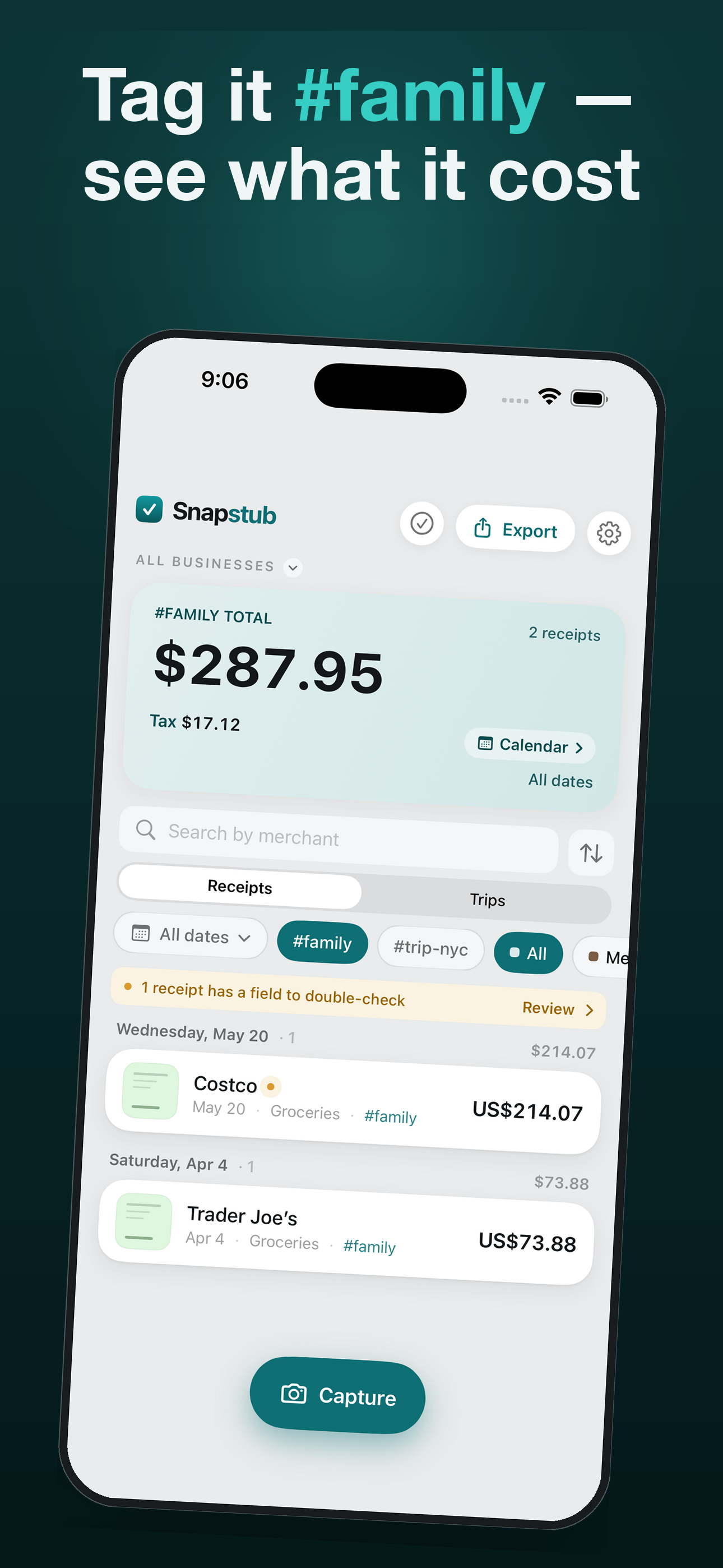
When a field may be misread, Snapstub flags it for a quick check. Tap the banner to see only those receipts and clear them one by one. Every row keeps its original photo, so you can always compare the number with the receipt.
Find the one you just scanned
A receipt’s printed date is the hardest thing to read, and a misread one used to file itself somewhere you would never look. Sort by Recently scanned and it is right at the top — every receipt now keeps a record of when it was captured.
Mileage, if you drive for work
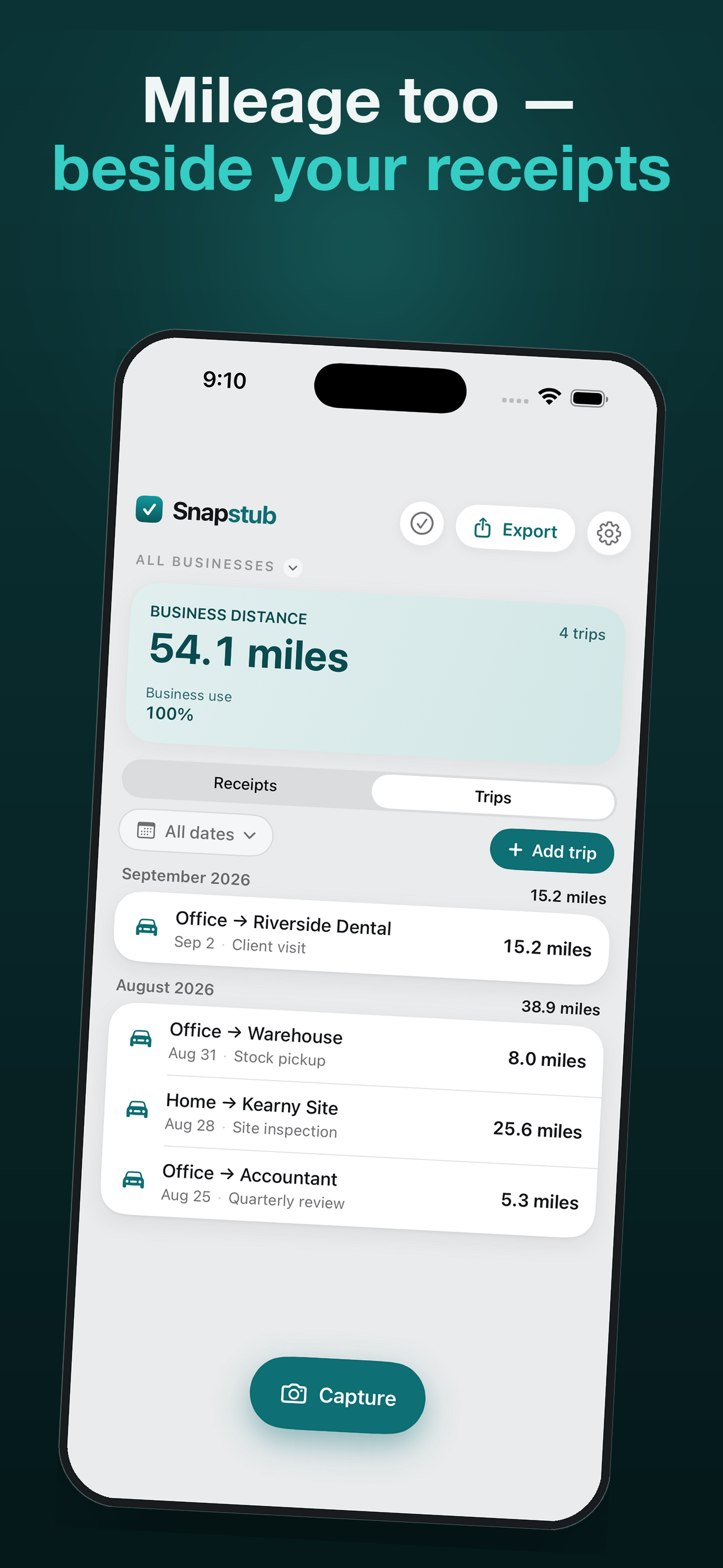
Log business drives beside the receipts — distance, purpose and route, or a start and end odometer reading with the distance worked out for you. Monthly subtotals, business-use share, and the year’s first and last readings. How it works.
PDFs and screenshots count too
Import an emailed PDF receipt or a screenshot from your camera roll, and it is read the same way as a photo. A PDF with a text layer is read directly, without OCR.
Calendar at a glance
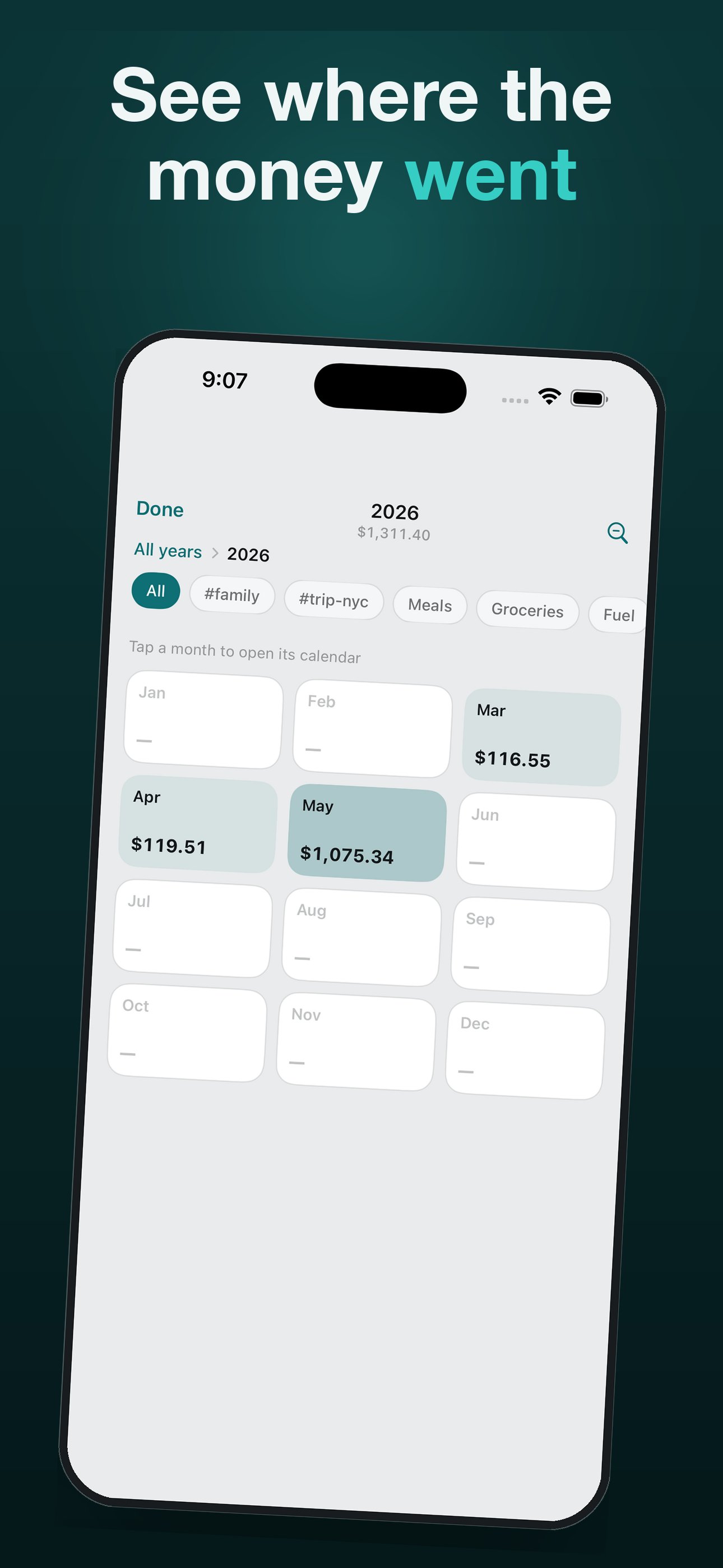
Zoom from years to months to a single day to see where the money went, with running totals.
Made for your accounting app
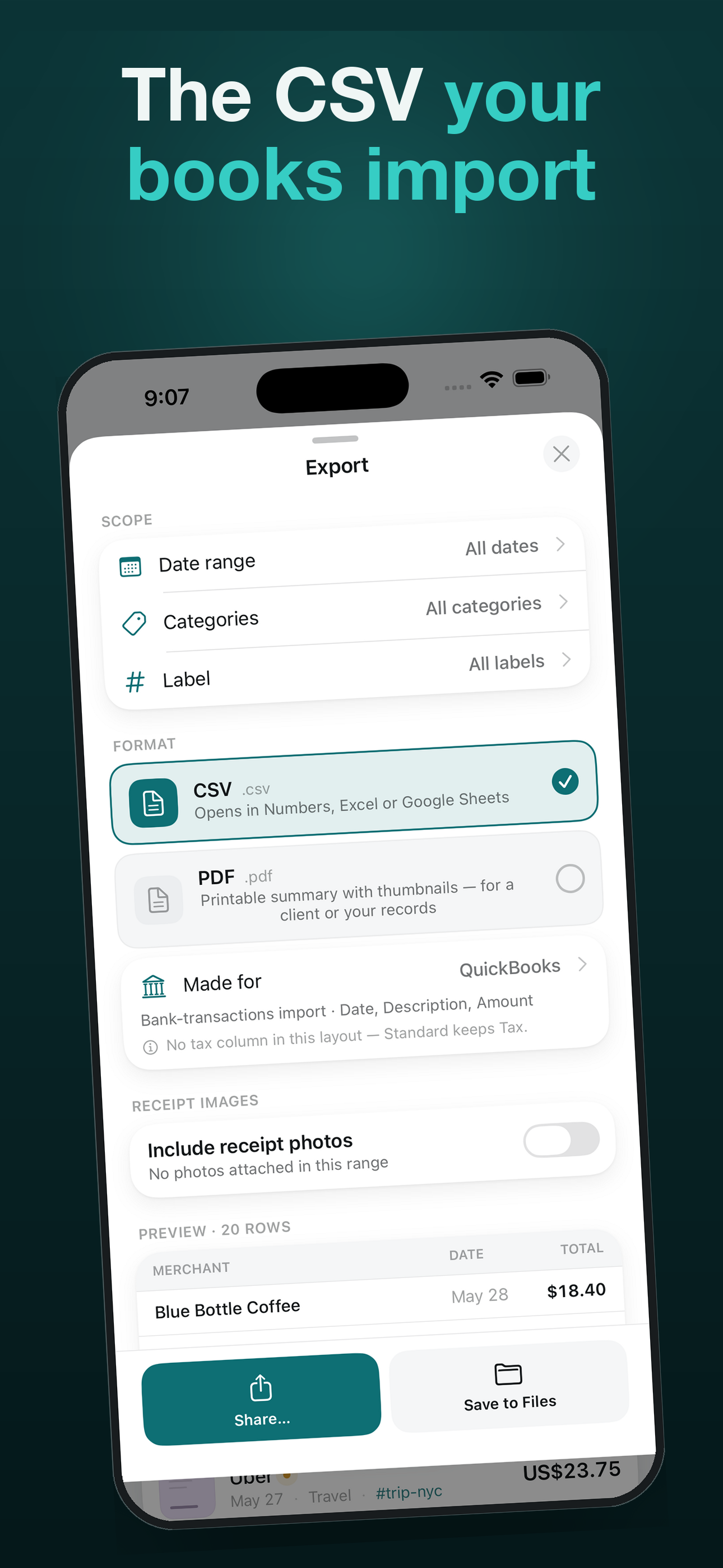
Pick who the export is for — QuickBooks, Xero, Wave, FreshBooks or Zoho Books — and the CSV comes out with the right columns and signs, ready to import the first time.
Tax summary your accountant expects
The PDF report shows subtotal (before tax), tax, and total — with an optional TPS + TVQ split for Québec, and the year always visible.
How it works
- Capture. Point the camera — the receipt's edges are outlined live, captured automatically, and straightened. Or pick a photo / import an emailed PDF. The original image stays attached to the row so the proof never gets separated from the number.
- Confirm. Snapstub fills in merchant, date, total, tax and a suggested category. Anything it wasn't sure about is flagged in amber — tap to fix in a second.
- Organize. Receipts file into days and months automatically. Filter by period, long-press a receipt to recategorize it on the spot (Snapstub remembers your choice for that merchant), or select several for a bulk action.
- Export. Hand a clean CSV to your accountant or spreadsheet, or a printable PDF report for your records. Using QuickBooks, Xero, Wave, FreshBooks or Zoho Books? Pick it under "Made for" and the file is shaped to import the first time. All generated on-device — readable without this app, ever.
Pricing
Why Snapstub is a one-time purchase — what is free, what the unlock buys, and who it is not for.
One-time payment, no subscription. Scanning, organizing and backup are free forever — so your receipts are never locked behind a paywall. You can always see your data; the one-time unlock is for getting itout as a file.
Capture and keep, with no limits.
- Unlimited receipt scanning — no cap
- Auto-extract merchant, date, total, tax, category
- Calendar & day/month organizing
- Full backup & restore (your data is never held hostage)
- Browse, filter, and running totals by day & month
- One free CSV export — see the file before you pay
One-time payment. Unlocks everything. Forever.
- Everything in Free
- CSV export (RFC-4180 — opens cleanly in Numbers, Excel, Sheets)
- "Made for" presets — CSV shaped for QuickBooks, Xero, Wave, FreshBooks or Zoho Books
- PDF expense report with thumbnails, subtotal · tax · total (optional TPS + TVQ split for Québec)
- Bulk actions — export, share or delete selected receipts at once
- Quick Share — beam a batch to another phone via QR, no files
- Restore purchase on any device on your Apple ID
Every "Made for" layout is pinned to the target's published import spec and covered by tests — headers, signs, dates — so a paid export never lands as a file your accountant can't open. More formats (like QIF for Quicken) ship the same way: verified first.
Privacy you can audit
Snapstub does not collect any data. The privacy nutrition label on the App Store reads "Data Not Collected" — the only honest answer. There are no analytics SDKs, no crash reporters that phone home, and no network code outside StoreKit (which Apple handles directly for the one-time purchase). Your receipts — and the photos of them — live only on your device and in your own backups. See the privacy policy for specifics.